MakeMusic Compose
A modern, free music notation software
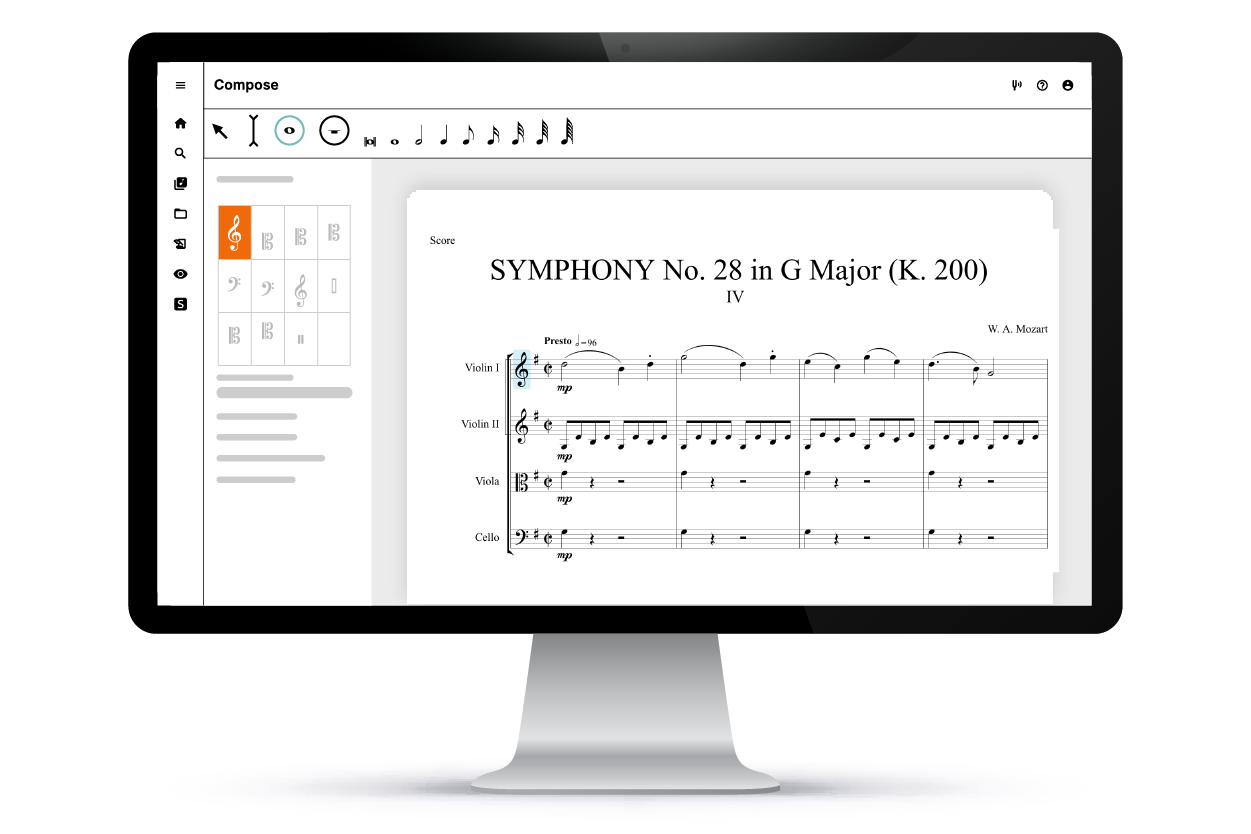
Compose is the free music notation software from the creators of Finale. This web-based tool that empowers you to quickly and easily capture your musical ideas with a robust notation engine and simple user interface. Take control of your composition with all of the features you’d expect, like point-and-click note editing, dynamics and articulations, and customizable expressions.
As part of the MakeMusic Cloud ecosystem, you will gain access to a full suite of music creation and practice tools.
Start using Compose
You will be directed to create a free MakeMusic Cloud account, which gives you instant access to Compose.
Notate
Compose gives creators a simple and easy tool to jot down musical ideas with a surprisingly powerful set of features. Music creators can import, edit, and share their music with a sleak interface and intuitive editing tools.
Compose’s notation feature include:
- Point-and-click note editing, dynamics, and articulations.
- Customizable expressions.
- A set of premade templates for a variety of instrument and ensemble types.
- Unlimited staves.
- The ability to edit and view individual parts separately.
- And much, much more.
Collaborate
Music is better when it’s shared, and Compose makes working with your fellow musicians easier than ever. With Compose, you can:
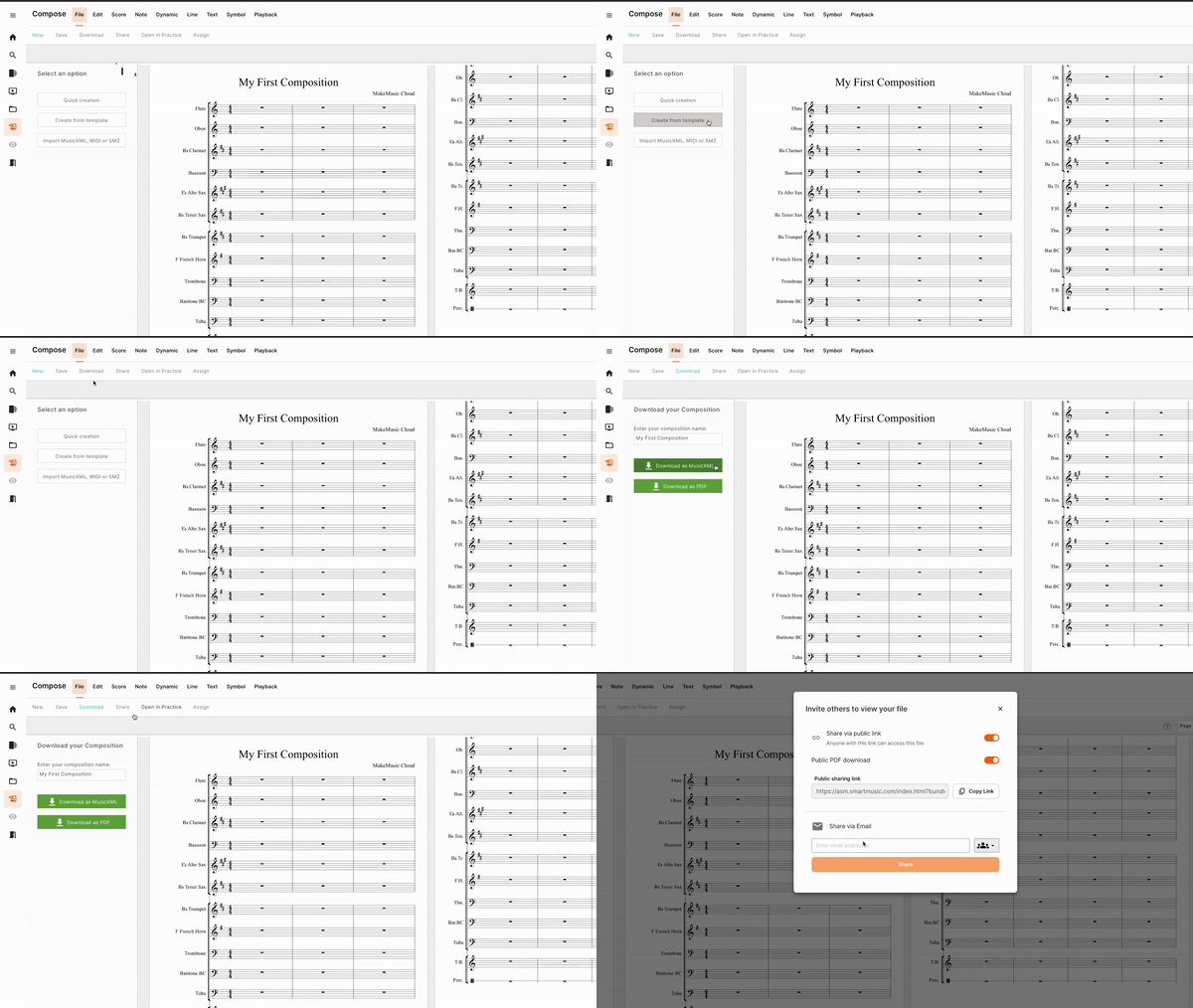
- Share your music files directly with other MakeMusic Cloud users.
- Import/export MusicXML files to continue your work in another music notation software (like Finale).
- Open files in the Practice app for instant accompaniment and assessment features.
Support
With Compose, you have access to a variety of support features, meaning you never have to go it alone.
Compose is:
- A modern music notation software with continuous improvements being added.
- Web-based, meaning it can be accessed from both Windows and Mac devices directly in your browser.
- Supported by MakeMusic’s world-class support team, who are standing by ready to assist with any questions about the software.
Ready to get started?
Compose is a free music notation software included with your MakeMusic Cloud account and available on both Mac and Windows. If you do not already have an account, you can create a MakeMusic Cloud account and get instant access to Compose. You will also get access to these great tools in the MakeMusic Cloud ecosystem:
- Practice app, with enables playback of your piece with full accompaniment and assessment.
- Interactive music sharing with Finale.
- Free titles from our digital music catalog.
Finale Notepad
A free music notation software for Windows
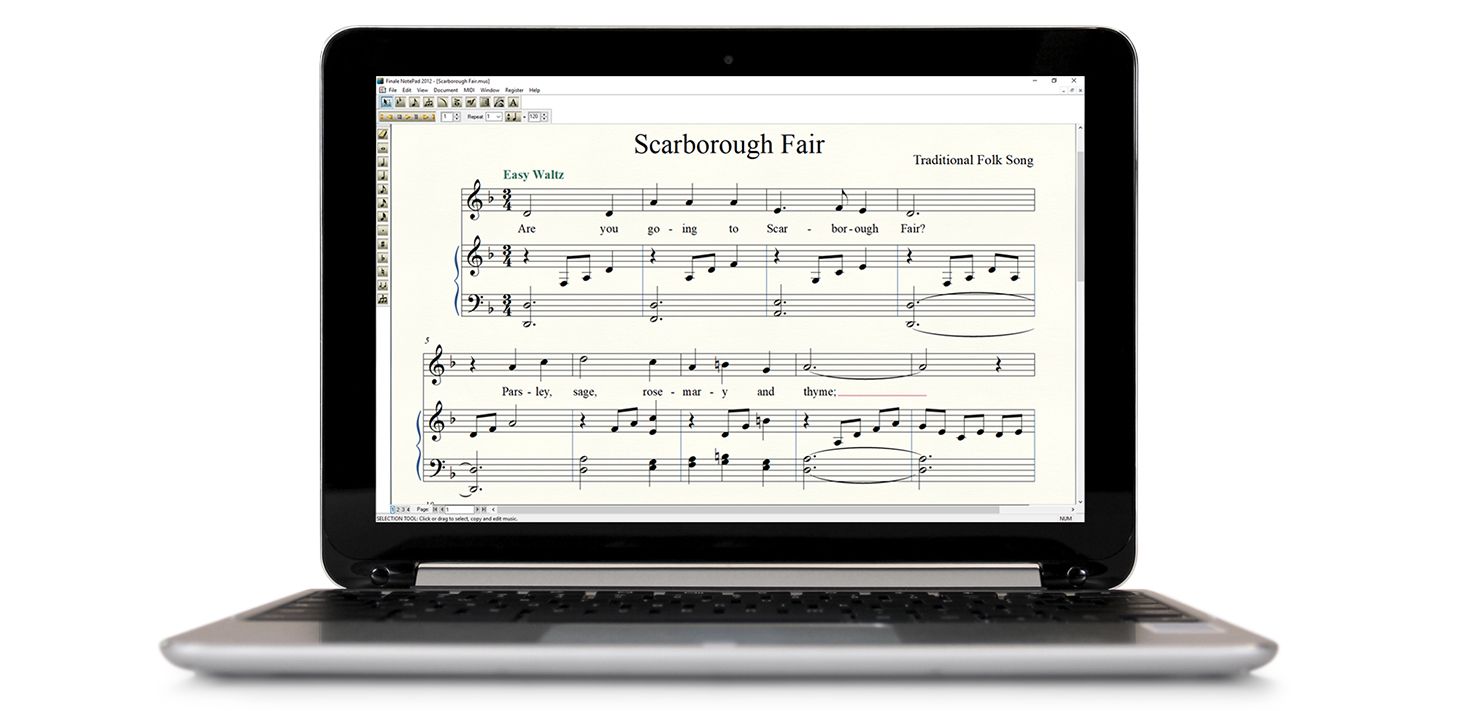
With Finale Notepad, you can create orchestrations of up to eight staves. You can add notes by clicking them into the staff or importing MIDI or MusicXML files. Once your music is in NotePad, you can hear it play back, see it on the printed page, and share it with other NotePad users and users of other Finale family music notation software.
Get started
Whether you’re notating guitar tablature, composing a piano solo, or arranging for a jazz combo, NotePad’s Setup Wizard sets up your score automatically. NotePad handles instrument transposition, clefs, key signatures, and more, freeing you to explore the creative process.
Hear your music
Hear your notes as you enter them, then press Play to hear how they work together. With NotePad’s instant feedback, you can quickly shape the music of your imagination. Best of all, with Human Playback and built-in high-quality sounds, your music sounds great.
More than just notes
In addition to entering notes, it’s easy to add dynamics and tempo markings that actually influence NotePad playback. Plus, you can enter lyrics and create guitar tablature and percussion notation, too.
Share your music
With Finale NotePad you can print professional-quality sheet music and exchange your NotePad creations to collaborate with fellow NotePad and Finale users. You can also share MIDI and MusicXML files, back and forth, with users of hundreds of other music programs.
